Synology NAS and monitor showing a backup and restore dashboard

OFFSITE BACKUP AND RESTORE

Synology backup finished. Will it restore?

Configure the agreed offsite copy, then restore one sample file or folder and verify its contents, dates, and permissions.

  • One agreed source and destination
  • A real sample restore, not a status check
  • Dates, contents, and permissions verified

THE THREE FAILURES WE SEE

What is going wrong?

01

The job says success but restore fails

The backup task is green, yet the restore wizard cannot find the version or the sample file.

02

The sample is incomplete

A folder restores with missing subfiles, changed dates, or unreadable content.

03

The offsite path is unavailable

The remote NAS or cloud destination is unreachable when the backup or restore is attempted.

HOW WE TEST
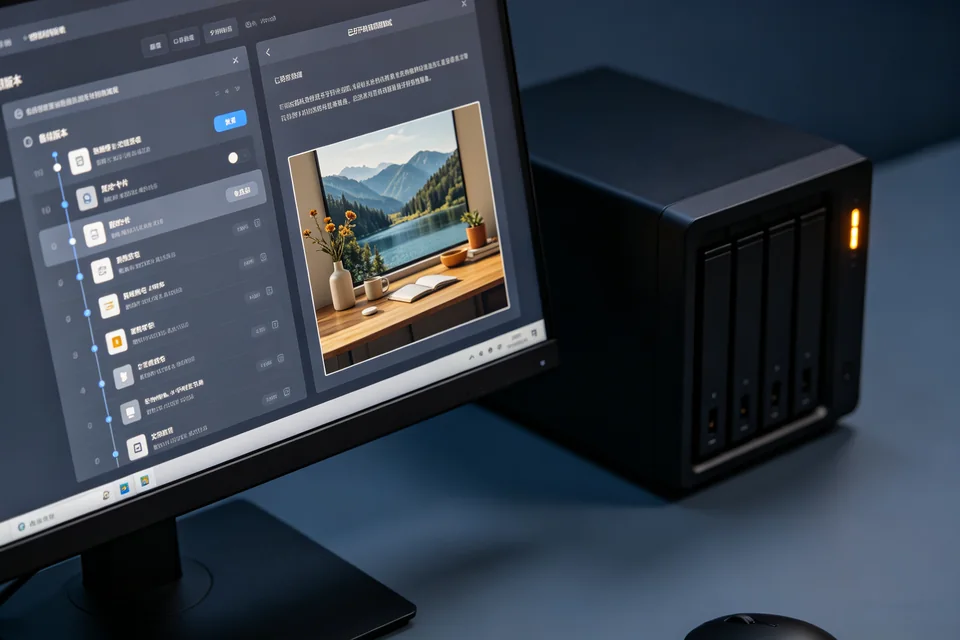
Find the failing layer, then prove the fix.

  1. Confirm the protected scope. List the folders and applications in the backup task. A successful task for the wrong folder does not protect the data you need.
  2. Check the offsite destination. Confirm the remote NAS/cloud is reachable, has free space, and is not a mirror of the same failing disk.
  3. Restore to a separate folder. Restore one sample file or folder to a new location; do not overwrite the live share.
  4. Open and compare the restore. Check content, dates, permissions, and application readability. Record any exceptions.
A Synology backup task and a restored sample folder
A completed backup job is not proof until a sample restores and opens.

SERVICE SCOPE

What is included

Included

  • One Synology source and agreed destination
  • Backup scope and destination review
  • One sample file/folder restore
  • Integrity and permission checks

Not included

  • Recovering data from physically failed drives
  • Buying cloud storage
  • Guaranteeing every application restore
  • A full disaster-recovery rehearsal

The session covers one agreed device and one verified path. Anything outside the written scope is quoted separately before work starts.

FAQ

Before you book

Why restore if the backup says success?

A job status only shows the copy completed. A restore proves the version is readable and the scope is correct.

Will the restore overwrite current files?

No. The sample restores to a separate folder; overwriting the live share is a later, explicit decision.

Can you back up every application?

The session covers the agreed folders and one sample. Application-specific consistency needs its own scope and may require a maintenance window.

NEXT STEP

Tell us what is happening.

Send the device, software, exact symptom, and what you have already tried. We will confirm scope and a fixed quote before booking.

No passwords. A real reply comes from hello@handytasklab.com.

FROM THE BLOG

Synology Offsite Backup Restore Guides

All guides